Best Free Splitwise Alternative With No Limits or Ads
Last updated: June 21, 2026
We were traveling across Asia for our honeymoon, when Splitwise suddenly limited us to 3 expenses per day. We'd log breakfast, a taxi, and lunch, and the app was already asking us to pay. We looked for a Splitwise alternative, but none really convinced us, so we built Splital.
Today Splital has more than 150,000 users and a 4.8/5 average rating from 2,000+ reviews across the App Store and Google Play.
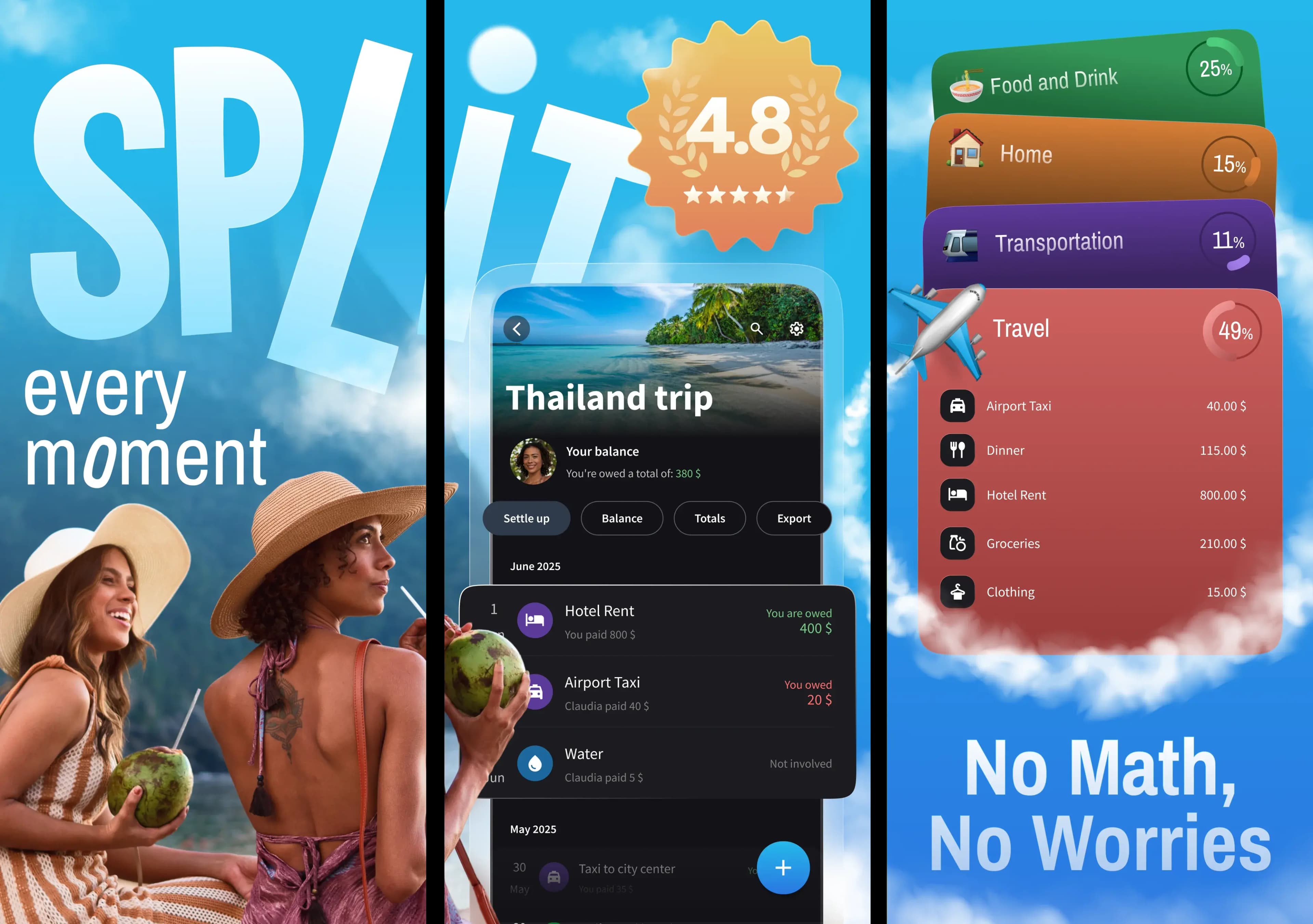
At a glance
Splital is the free Splitwise alternative with no ads, no daily expense limit, and better expense categorization. Splitwise is still the better pick if you need a web app or want to add expenses without creating a group. Importing your Splitwise groups takes seconds, so trying Splital costs you nothing.
Download Splital for free
Available on Android and iPhone. No account needed.


Why people leave Splitwise
Splitwise was the most used app to split expenses. Then the free tier changed. If you're here, you probably already know these frustrations:
- A daily limit of 3 expenses
- A countdown timer before each one
- Basic features locked behind Splitwise Pro
If you use Splitwise on a trip, or you just want to know what you owe your roommates or partner, those restrictions are too tight, and paying a subscription just to add expenses doesn't feel right.
These are the exact reasons why we built Splital.
What makes Splital different
Splital is completely self-funded. We have no investors, so we're free to do what we think is best for our users. That's why Splital:
- Shows no ads
- Has no expense limits
- Offers all the basic features for free
We believe everyone should be able to split expenses easily, and with Splital, you can.
Splital vs Splitwise: the full comparison
Here is how Splital and Splitwise compare, feature by feature. We've marked where each app is better, including where Splitwise wins.
| Splital | Splitwise | |
|---|---|---|
| Average rating (App Store + Google Play) | 4.8/5 | 4.2/5 |
| No Ads | Free | Pro |
| Unlimited expenses per day | Free | Pro |
| Registration | Optional | Mandatory |
| Add people without them installing the app | Just enter their name | They must install Splitwise |
| Custom Default Split | Free | Pro |
| Simplify Debts | Free | Free |
| Search expenses | Free | Pro |
| Automatic expense categorization | Free (~90% accuracy) | Free (basic) |
| Currencies | 150+ | 100+ |
| Supported languages | 28 | 12 |
| Works offline | Free | Free |
| Export to CSV | Pro | Free |
| Export to PDF | Pro | Missing |
| Image attachments | Pro | Free |
| Statistics and charts | Pro (advanced) | Pro (basic) |
| Web app | Missing | Free |
| Add an expense without a group | Missing | Free |
Comparison based on publicly available information about Splitwise as of June 2026. Splitwise's pricing and features may change over time, so check their website for the latest.
What users say about Splital
Splital has over 150,000 users and an average rating of 4.8/5 based on 2,000+ reviews. Here's what some users who left Splitwise say.
“If you're thinking about ditching Splitwise, do it. I downloaded this looking for an alternative and couldn't be happier. This app has a million more features than Splitwise, for free.”
“This has simplified our trip expense management so much. I like it way better than Splitwise.”
“Amazing free Splitwise alternative, and the Pro version is very reasonably priced.”
“Love the app. The UI is better than Splitwise.”
Download Splital for free
Available on Android and iPhone. No account needed.
Why Splital is a great Splitwise alternative
In this section we'll expand on the main points we think you'll love when using Splital instead of Splitwise.
No ads, no limits
You should be able to use an app to split expenses freely and without distractions. That's why Splital has no limit on the number of expenses and shows no ads.
Splitwise's free plan, on the other hand, caps how many expenses you can add per day, makes you wait through a countdown, and shows ads.
No account required
No one should have to give away an email or phone number just to try an app. Creating an account in Splital is completely optional, to respect your privacy.
When you decide Splital is the app for you, you can create an account from the app settings. That way you can log in from other devices, and share your Pro subscription across all the devices you own, on both Android and iOS. If you want to know more, see our multi-device login post.
Splitwise instead asks you to create an account to even try the app.
Split with people who don't have Splital installed
If you're traveling with parents or friends who aren't comfortable with technology, asking them to install yet another app is a hassle. That's why Splital doesn't require them to install anything. You can just type their names and start splitting expenses immediately.
If you want, you can invite them to the group later, so anyone can check expenses and balances on their own device.
Splitwise, on the other hand, needs everyone to have a Splitwise account. Removing that requirement is, for many users, an important reason to switch to Splital.
All core features are free
Some features feel like they should be free in any expense-splitting app, because they're how you actually use one. Splitwise puts a few of them behind its subscription.
Here are a couple of examples that are free on Splital, and Splitwise charges for:
- Custom Default Split. If you and your partner always split 60%/40%, you shouldn't have to set the split manually for every expense. It's annoying, and easy to forget, which can cost someone money when an expense is split the wrong way. That's why Custom Default Split is free in Splital.
- Search expenses. After months of using an app, finding a specific expense gets hard. Splital searches across descriptions and notes for free.
Better expense categorization and statistics
One of the biggest benefits of tracking expenses is understanding where your money goes, and that only works when every expense lands in the right category.
Splital categorizes your expenses for you automatically: it reads an expense description like "Carrefour" or "Whole Foods" and files it under Food and Drink → Groceries.
Splitwise, on the other hand, leaves most expenses in "General". We know this firsthand: we used Splitwise for years before building Splital, and in all those old groups we rarely found its categorization useful.
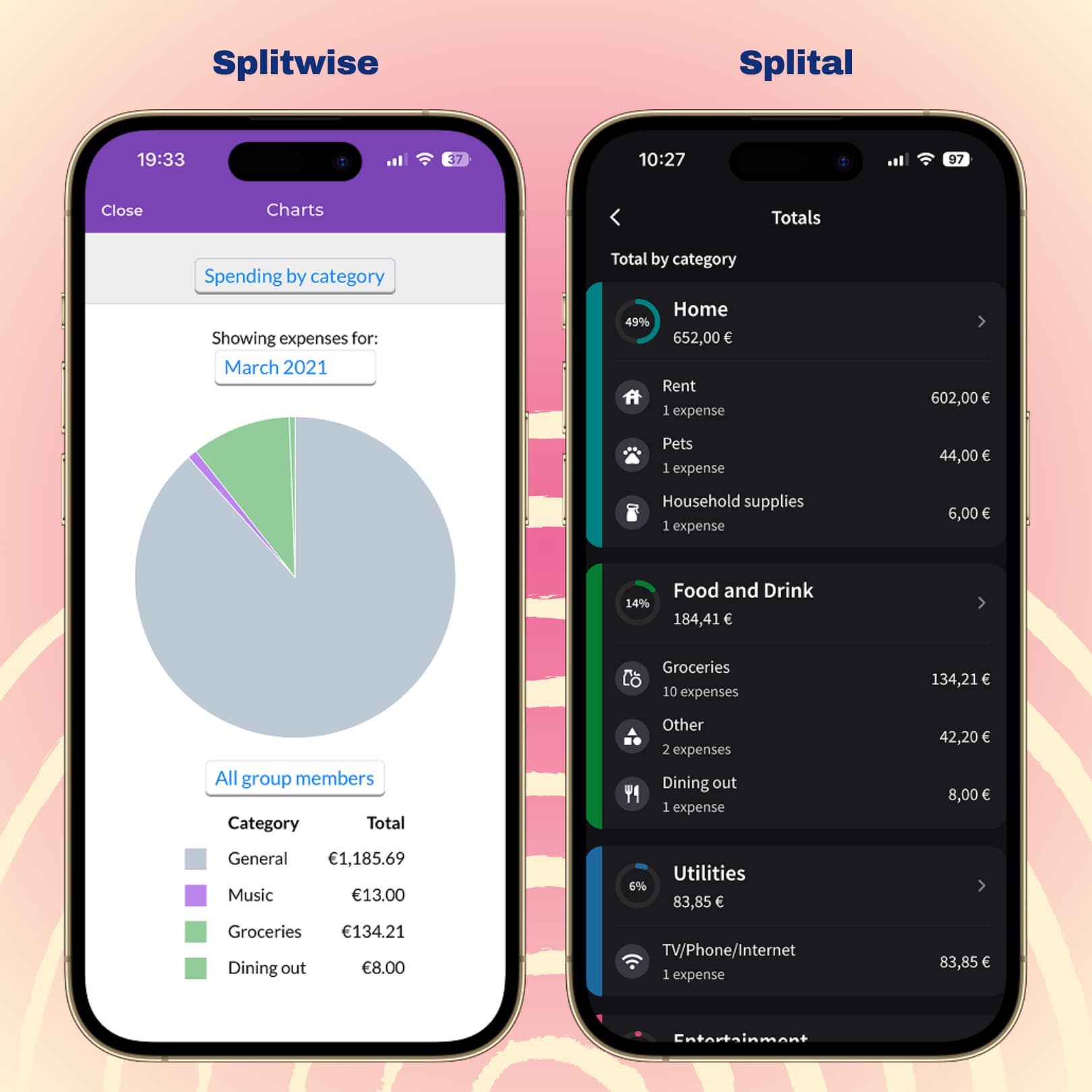
Splitwise vs Splital: statistics side by side
From our tests involving thousands of expenses in different languages, we can say Splital automatically sorts around 90% of expenses into a meaningful category.
Check our statistics post to learn more about how you can analyze your spending habits with Splital.
Switch from Splitwise in seconds
Nobody wants to abandon years of carefully tracked expenses or start from scratch. That's why we built an import feature that brings all your data into Splital.
Here are the steps:
- Export your group from Splitwise as a CSV file
- Create a group in Splital and tap Import from Splitwise
- Upload the CSV, and you're done
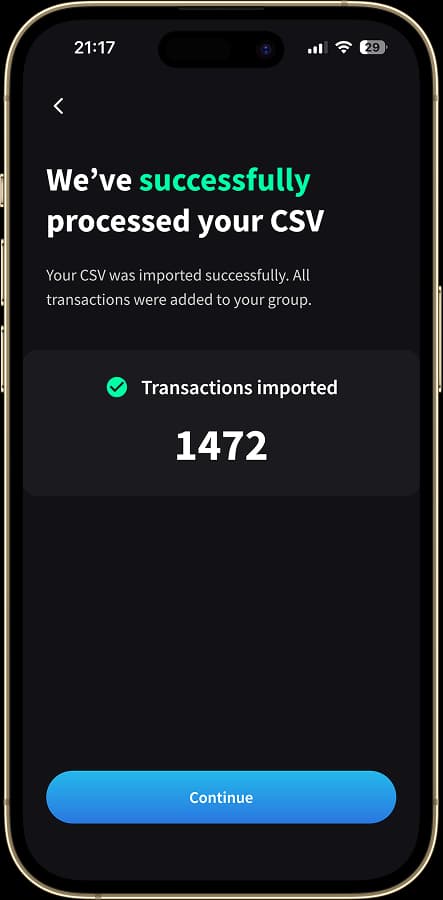
Every expense is imported with dates, who paid, and how it was split. Splital then re-categorizes everything automatically, so you immediately get a cleaner breakdown than Splitwise gave you.
The import is free and works for groups of any size. If you want to know more you can read our guide to importing Splitwise groups.
Download Splital for free
Available on Android and iPhone. No account needed.
Where Splitwise still wins
Splitwise still does a few things better than Splital. If any of these is core to how you track expenses, Splitwise is the better pick for you.
Web app
Splitwise has a web app. Splital is mobile-only, on Android and iPhone. If a significant share of your expenses happen in a browser, Splitwise's web experience is an advantage.
Logging an expense without a group
Splitwise lets you record an expense without creating a group. Splital is built around groups, so every expense lives in one, so that in the long term everything stays clean and organized. If quick group-less expenses are important to you, then Splitwise is a better fit.
Who should use which?
Both apps split expenses well, and group size isn't the deciding factor: Splital handles big groups and long trips just as well as it handles a couple or a few roommates. What it really comes down to is how often you add expenses and which features matter most to you, since each app does a few things the other doesn't.
Choose Splital if you:
- Split expenses often and keep running into Splitwise's daily limit
- Want better automatic expense categorization and deeper statistics
- Want all core features free, with no ads
- Prefer not to hand over an email or phone number, or make everyone install an app
Stick with Splitwise if you:
- Need a web app to add or settle expenses from a laptop
- Want to add a quick expense without creating a group first
What's free in Splital, and what Pro adds
Splital is freemium, with no ads on any tier. The free plan covers everything you need to split expenses, including some features that are paid on Splitwise. Splital Pro unlocks advanced features and supports our work. You can see what's included on the pricing page.
Splitwise alternative FAQ
What is the best free alternative to Splitwise? Splital is the best free alternative for most people. It's completely free to split expenses, with no ads and no daily limits, and features Splitwise charges for, like expense search and custom default splits, are free. You can also import your existing Splitwise groups in seconds, so you don't lose your history when you switch.
Can I import my groups from Splitwise? Yes. You can import your Splitwise groups into Splital in seconds. Just export your group as a CSV from Splitwise and import it into Splital. Every expense, who paid, and how it was split come across, and Splital re-categorizes everything automatically to offer you better statistics. The import is free and works for groups of any size.
Do I need an account to use Splital? No. You can download Splital and start splitting expenses without signing up. An account is optional and only needed if you want to sync your data or use your Splital Pro subscription on multiple devices.
Download Splital for free
Available on Android and iPhone. No account needed.