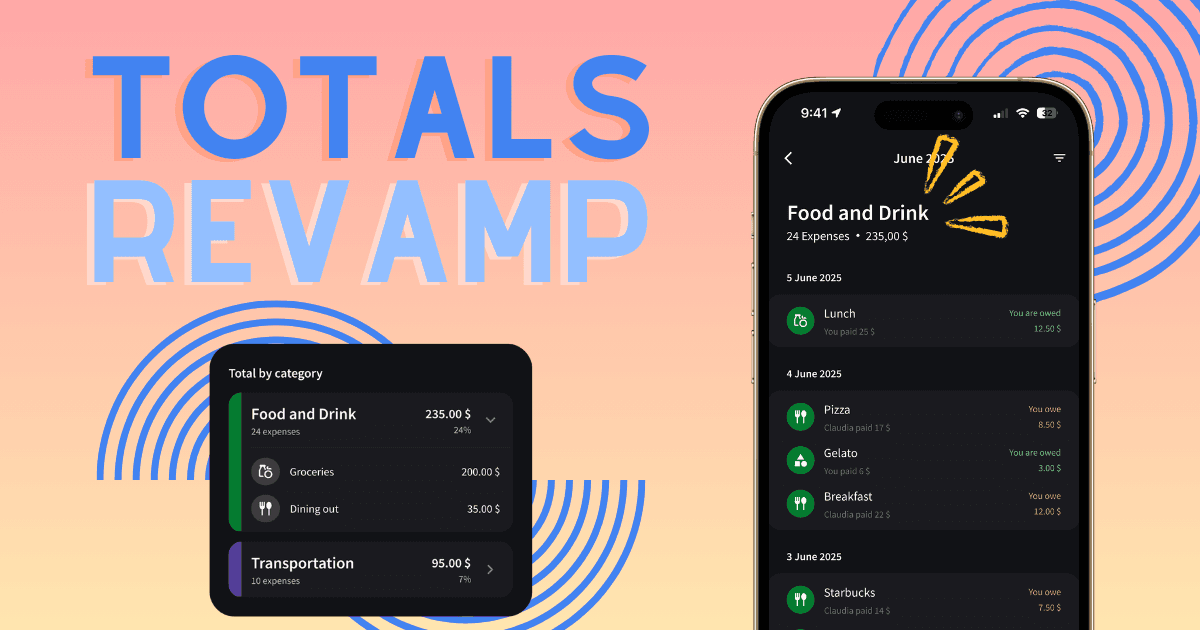
Totals just got four major upgrades: subcategory breakdowns inside every category, per-member spending by tapping any name, expense lists behind every total, and a filter to narrow expenses by subcategory.
If you've been using Splital for a while, you probably already know that our Totals feature helps you understand your spending patterns. But what makes Splital's statistics stand out from other expense apps is our automatic categorization that actually works.
While other apps dump most expenses into a generic "General" category (making statistics pretty much useless), Splital accurately categorizes about 90% of your expenses automatically. That means when you look at your Totals, you're seeing real insights, not just a sea of uncategorized transactions.
Based on your feedback, we've just added four major improvements that give you more control and visibility over your spending.
Subcategory breakdowns
You could always see how much you spent on "Food & Drink" or "Transportation" but now you can drill down into subcategories to see exactly where that money went. Want to know how much of your food budget went to Groceries vs Restaurants? Now you can see it at a glance.
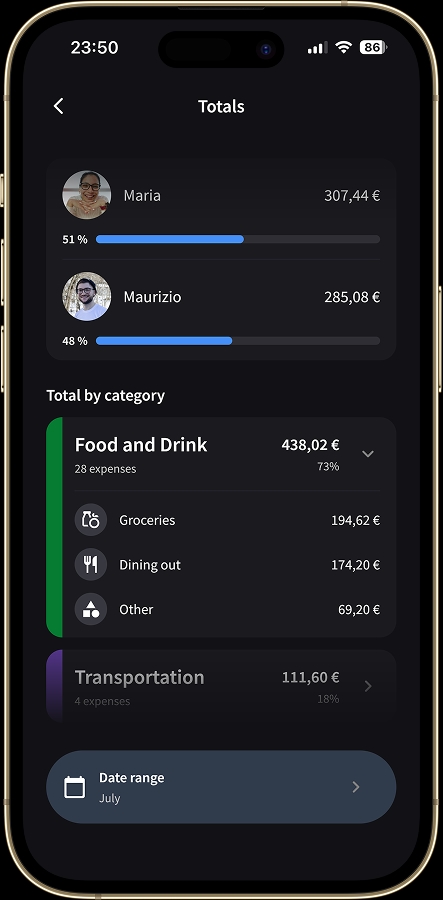
Expand any category to see how spending breaks down by subcategory.
Personal spending stats
Before this update, you could only see group spending totals. If you traveled with friends, you'd see how much the group spent on hotels, but not how much each person actually contributed.
Now you can tap any member's name in the Totals screen to see their personal spending breakdown, with the same subcategories and details as the group view. You can finally answer questions like "How much did I actually spend on this trip?" or "What's my biggest expense category this month?"
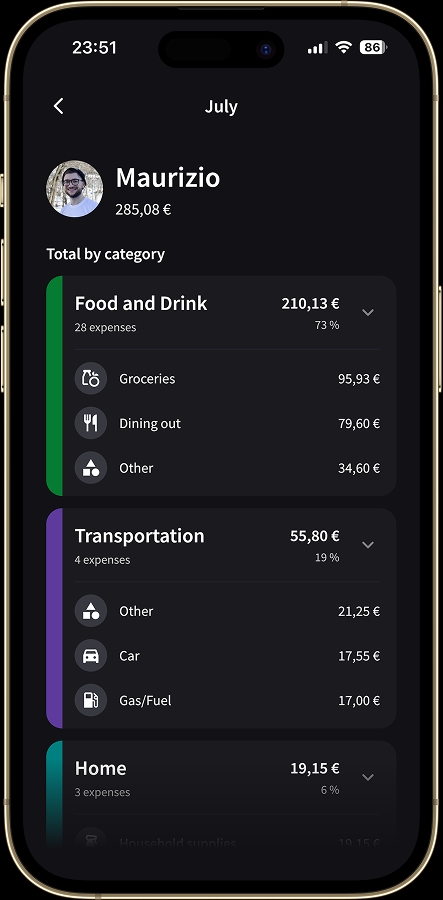
See exactly how much you personally spent, separate from the group totals.
Explore expenses behind the numbers
Ever looked at a total and wondered, "wait, how did I spend that much?" Now you can tap any category or subcategory to see the actual expenses that make up that amount. No more guessing, just instant clarity on where your money went.
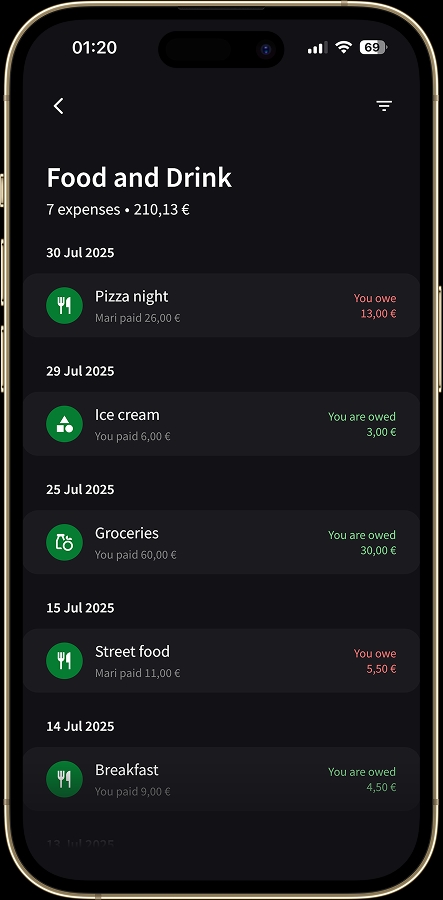
Tap any category to see the individual expenses that make up the total.
Pair this with expense notes on the underlying transactions and you'll always know what each line was actually for, months later.
Filter by subcategory
When you're viewing expenses in a category, you can now filter by specific subcategories to narrow down exactly what you're looking for. Want to see only your Dining Out expenses, excluding Groceries? Tap the filter and select the subcategory.
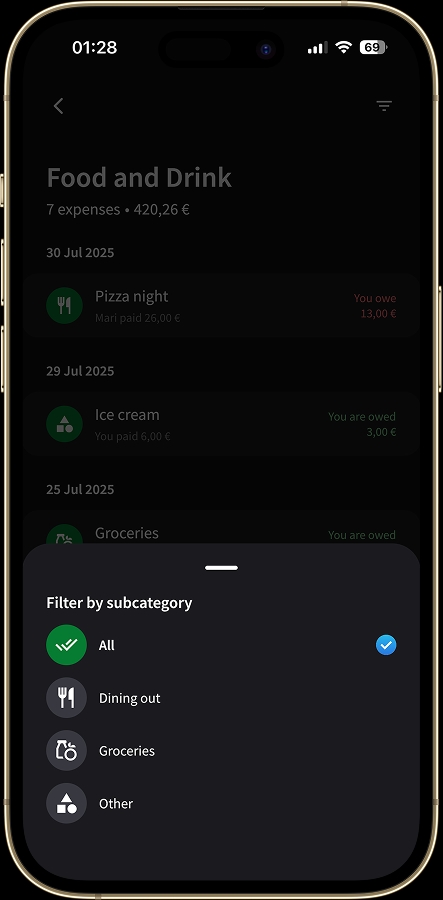
Filter by subcategory to focus on what matters.
Why accurate categorization matters
Statistics are only useful if they're accurate. That's why we've invested so much time into building categorization that actually understands your expenses. When your transactions are automatically organized into meaningful categories, your Totals screen becomes a powerful tool for understanding your spending habits.
Totals is part of Splital PRO, the subscription that supports our work on Splital. Check the pricing page to see what's included.
Frequently asked questions
What's the Totals screen?
Totals is the screen in Splital where you see statistics about how a group's money is being spent, broken down by category, subcategory, and member. You can drill into any number to see the individual expenses behind it.
How accurate is Splital's automatic categorization?
Across our own data, Splital automatically categorizes around 90% of expenses into meaningful categories like Food and Drink, Home, or Transportation. The remaining 10% land in General when an expense is too generic or unusual to classify confidently.
Can I see my personal spending separately from the group?
Yes. Tap any member's name in the Totals screen to see their personal spending breakdown, including subcategories and the individual expenses behind each total.
Can I tap a category to see which expenses make it up?
Yes. Tap any category or subcategory in the Totals screen to drill into the list of individual expenses that contributed to that total, including amount, payer, and date.
Is Totals included in Splital PRO?
Yes. Totals, subcategory breakdowns, personal spending stats, and category filtering are all part of Splital PRO. Check our Pricing page to know more.
We're listening
These improvements came directly from your suggestions. Some of you reached out asking to see personal spending breakdowns. Others wanted to understand subcategory details. And many of you simply wanted a faster way to explore the expenses behind the numbers.
We heard you, and we built it.
Go check out the latest version of Splital and see how these changes help you understand your spending better. As always, keep the feedback coming, your input shapes everything we build.
Maria & Maurizio