Splitwise Pro is the paid subscription for Splitwise, an app for tracking shared expenses with friends, a partner, or roommates. It removes the daily expense limit and adds features such as search and saved default splits. Whether you need Pro depends on how often you add expenses and which features you use.
We used Splitwise for our household and trips. Below, we'll explain what features are free, what Splitwise Pro offers, and when paying makes sense.
At a glance
- Splitwise Free lets you add up to 3 expenses per day, with a ten-second countdown during expense entry. It includes recurring expenses, the option to disable debt simplification, CSV export, and web access.
- Splitwise Pro removes the daily expense limit and countdown. It unlocks features such as expense search, saved default splits, currency conversion, and statistics. Splitwise Pro costs €47.99 per year or €5.99 per month in the Italian offer we tested.
- Splitwise Duo offers the same benefits as Splitwise Pro for two people. It's only available with annual billing and costs €69.99 per year here in Italy.
A Splitwise Pro subscription doesn't upgrade all your friends. However, annual Splitwise Pro and Duo include one Trip Pass, which gives Pro to all members of one group for 30 days.
Is Splitwise free?
Yes, Splitwise has a free plan for recording shared expenses, splitting bills, and keeping track of who owes whom. Pro is optional, so you don't need a subscription to start using the app.
However, the free plan significantly limits how many expenses you can add. We couldn't add more than 3 expenses per day, and we had to wait through a ten-second countdown each time.
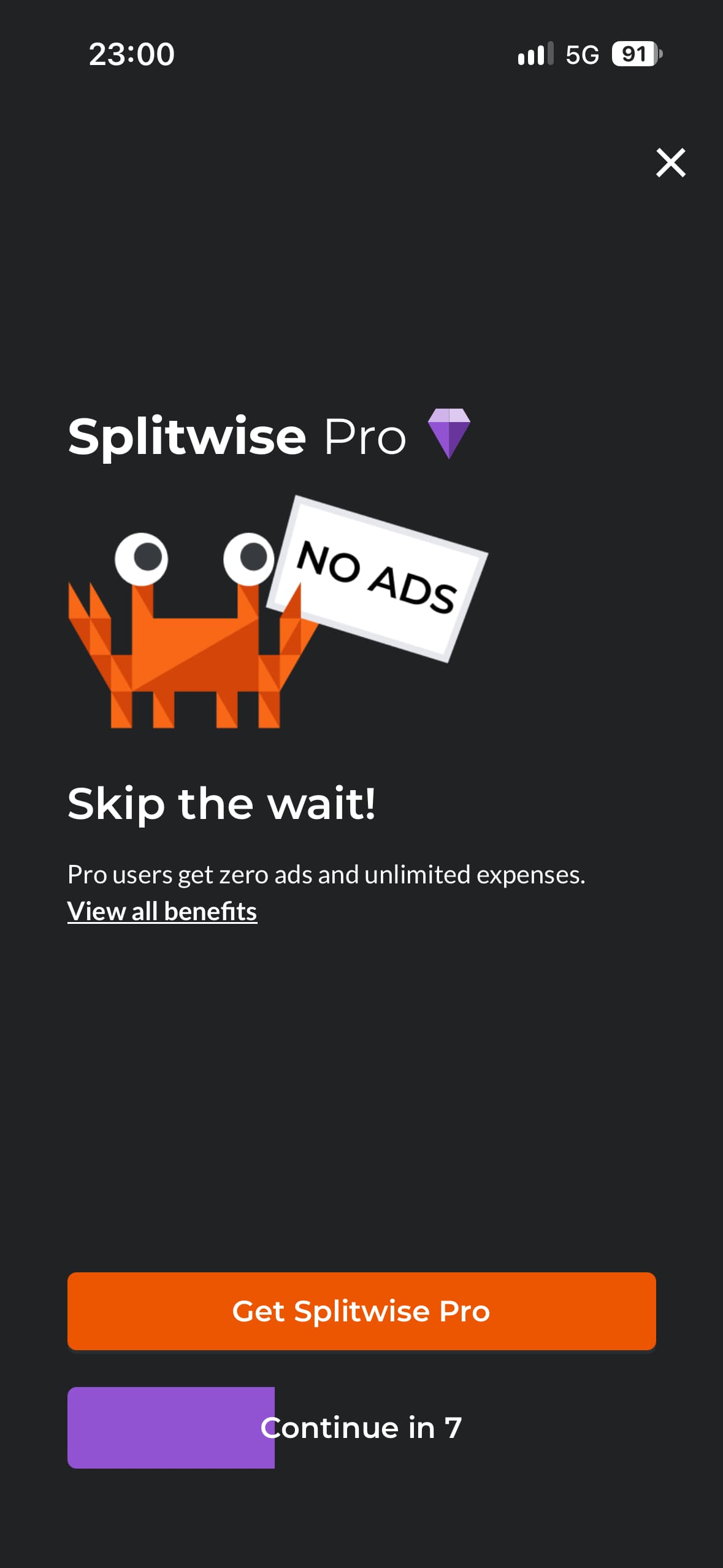
The countdown shown when adding an expense on Splitwise Free.
We believe Splitwise's free plan is fine for occasional use. If you need to add lots of expenses or use the app daily, the expense limit and countdown are quite annoying.
What are the free features of Splitwise?
Splitwise Free includes several useful features for couples, roommates, and travel groups. Here is what you can do without subscribing.
Equal and unequal splits
Splitwise offers all the kinds of splits you might need: you can divide an expense equally, by exact amounts, by percentages, or by shares. For example, you and your partner can split a grocery bill 60%/40% for free.
However, you need to enter the split for each expense. As you'll see later, saving a default split requires the Pro plan.
Recurring expenses
Splitwise can add rent, internet, or any expense you want automatically on a schedule. Set up the expense once, including how it should be split, and you won't need to enter it manually every time.
This is particularly useful for people using Splitwise to handle home expenses. It helps prevent forgotten expenses and incorrect balances.
Multiple payers
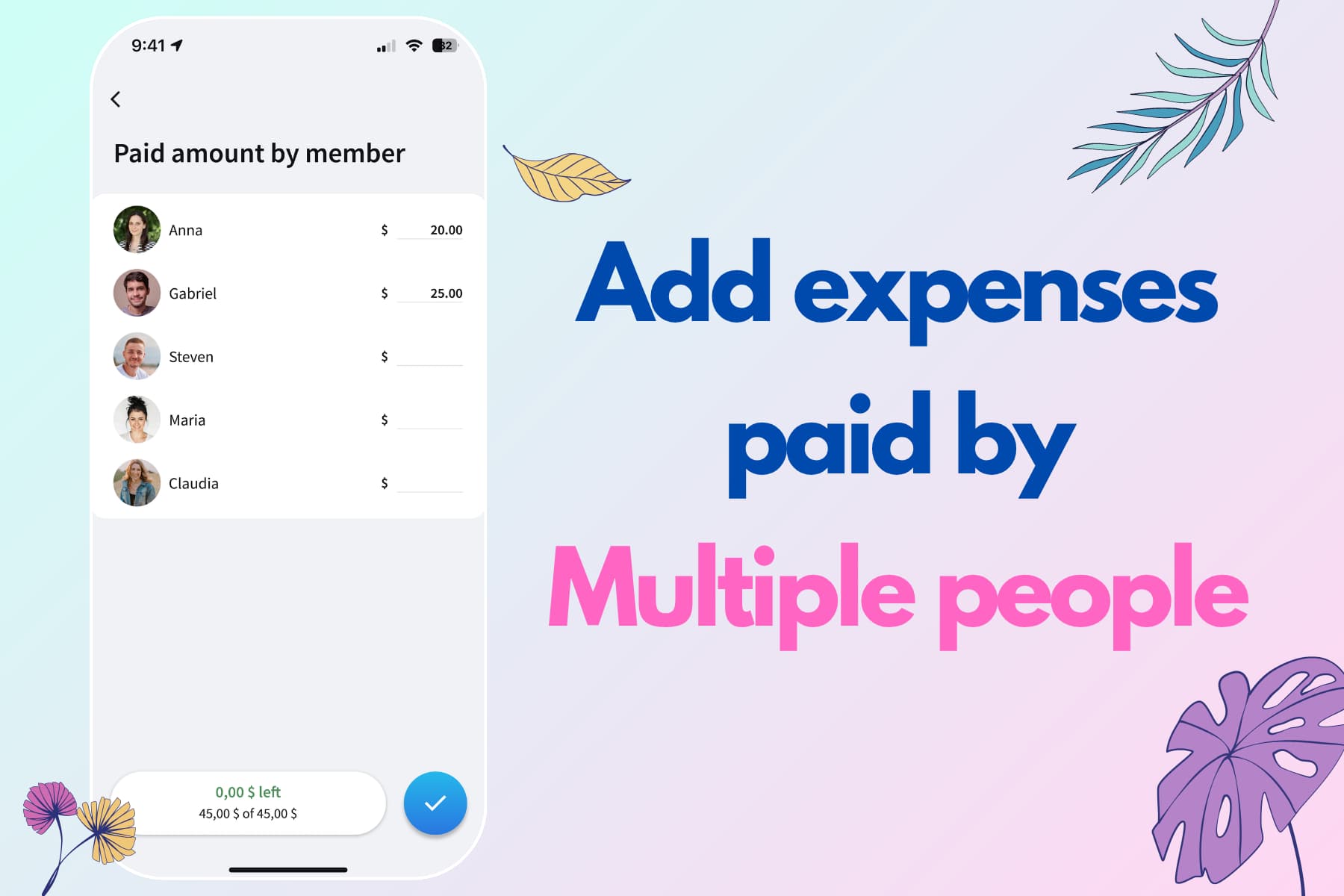
You can record a single expense paid by more than one person. If you pay €10 and your partner pays €5 toward a €15 bill, Splitwise lets you enter both payments in the same expense.
You can then decide how the expense should be split, and Splitwise will handle the math for you. For instance, if you divide that bill equally, each person's share is €7.50, so your partner owes you €2.50.
Photo attachments
Attaching a receipt photo to an expense is free. In this way, you can keep a copy of the bill so everyone can check it later.
Note that this is different from receipt scanning: storing the image is free, but automatically reading its information requires the Pro plan.
CSV export
You can export your expenses as a CSV file. That's useful if you want to review them in a spreadsheet or keep a separate copy of your group's history.
However, the CSV export has limitations. For example, it omits expense notes. It also omits how the expense was split and only says how much each person owes or is owed. This is particularly important for expenses paid by multiple people, where the split can't be recovered from the CSV and is only available in the app.
Combined balances across groups
Splitwise combines your balances with the same person across different groups. If you owe your partner €100 for home expenses and they owe you €30 from a trip, you can see that you owe them €70 overall.
We had separate groups for home and trips, so being able to see what we owed each other overall was useful.
Web access
Splitwise has a free web app, so you can manage expenses from a computer as well as your phone. If you prefer reviewing shared bills on a laptop, you don't need Pro just to access them in a browser.
Debt simplification
Splitwise can reduce the number of repayments needed to settle a group. If Alex owes Bea €20 and Bea owes Chris €20, it can suggest that Alex pay Chris directly.
You can also turn this feature off for free. That lets everyone repay the person who originally covered their expense, which may be easier in a group where not everyone knows each other. It can also make balances easier to check manually.
What is Splitwise Pro?
Splitwise Pro is the paid plan that includes all the free features, removes the daily expense limit and ten-second countdown, and adds features for searching, organizing, and analyzing your expenses.
What features does Splitwise Pro include?
Pro adds the following features to the free plan. Which ones matter most depends on how often you record expenses and what your needs are.
Unlimited expenses without the countdown
Pro removes the daily expense limit and the countdown during expense entry, so you can record as many expenses as you want.
We ran into the free limit while traveling and tried alternating who entered expenses. Coordinating around the cap wasn't very practical. Unlimited entries make a huge difference, although it feels strange to pay for something so basic.
No ads
Splitwise Free contains ads. Pro removes them, along with the forced ten-second wait during expense entry.
Expense search
Pro lets you search for an old expense instead of scrolling through the group's history. That becomes more useful as a household group's history grows, whether you're checking if you've already added an expense or looking for a particular purchase from a trip.
Saved default splits
A saved default split applies your preferred way of dividing costs to future expenses. If you and your partner always split 60%/40%, you can set it once instead of entering the percentages every time.
This is particularly important to avoid forgetting to adjust a bill and leaving it split equally, which is the default on Splitwise's free plan.
Currency conversion
The free plan lets you record expenses in different currencies, but keeps their balances separate. Pro converts them into one currency, so you can settle up without handling a separate balance for each currency used on the trip.
However, we didn't like how this feature worked in our test: it converted all expenses to the new currency, and the change wasn't reversible. If something goes wrong during conversion, you no longer have the original amounts to check.
Receipt scanning
Pro can automatically read information from a receipt image, reducing what you need to type when adding an expense.
Here in Italy, it didn't work very well with our receipts. It confused some items and couldn't correctly identify the receipt layout. We suspect it's mostly optimized for receipt formats from other countries, so before committing to an annual plan just for this feature, we'd suggest testing it with your own receipts, perhaps with a monthly plan.
Charts and statistics
Splitwise Free shows a basic spending summary for the current month. Pro gives you access to previous months and more detailed charts and statistics.
As our categorization comparison shows, Splitwise's automatic categorization is quite weak, and its statistics don't offer much detail. For this reason, we didn't find the statistics unlocked by Pro particularly useful.
Trip Pass
A Trip Pass gives all members of one group Pro for 30 days, including those who normally use the free plan. It lets everyone add unlimited expenses during a trip without waiting through the ten-second countdown.
You get one Trip Pass only with annual billing. The monthly plan doesn't include one.
How much do Splitwise Pro cost?
The Splitwise Pro price shown here in Italy was €5.99 per month or €47.99 per year.
A couple who both want Splitwise Pro can consider Splitwise Duo, which gives the same benefits as individual Pro at a better price. However, it's only available with annual billing.
| Plan | Monthly price | Yearly price |
|---|---|---|
| Free | €0 | €0 |
| Pro | €5.99 | €47.99 |
| Duo | None | €69.99 |
Does Splitwise Pro cover the whole group?
No, buying Splitwise Pro doesn't automatically upgrade everyone in your groups. Your friends keep their free-plan limits unless they subscribe too.
Splitwise Pro and Duo, when billed annually, include a Trip Pass, which gives Pro to all members of one group for 30 days.
One Trip Pass may be enough if you take one trip a year. We travel several times a year, so it wouldn't cover all our trips, and our friends would need their own Pro subscriptions to record all their expenses.
Is Splitwise Pro worth it?
Splitwise Free can be enough for occasional use. Pro makes more sense if you use the app regularly and want to avoid the countdown, need to add more expenses than the daily limit allows, or want a specific paid feature.
Stay on Free for a few shared bills
If you only record a few expenses, split them equally or don't mind adjusting each split, and don't need to search for old purchases, Splitwise Free may do everything you need. Recurring expenses, multiple payers, and the ability to disable debt simplification are included.
Consider Pro for frequent use and saved preferences
Pro is needed if you want to stay with Splitwise and avoid the daily limit and ten-second countdown. Expense search and saved default splits are also very useful.
However, if you travel a lot and need more than one Trip Pass, going Pro doesn't completely solve the problem. Your friends won't be able to add as many expenses as they want and will ask you to enter them on their behalf, which might be annoying.
Splital: an alternative with a generous free plan
We wanted an app with a generous free plan without giving up the advanced features we needed at home and while traveling. That's why we built Splital.
Splital includes unlimited expenses and groups, expense search, saved default splits, recurring expenses, multiple payers, and automatic categorization for free. We also put more work into categorization and spending analysis.
Splital has over 150,000 users and an average rating of 4.8/5 based on 2,500+ reviews. Here's what some users who left Splitwise say.
“If you're thinking about ditching Splitwise, do it. I downloaded this looking for an alternative and couldn't be happier. This app has a million more features than Splitwise, for free.”
“This has simplified our trip expense management so much. I like it way better than Splitwise.”
“Amazing free Splitwise alternative, and the Pro version is very reasonably priced.”
“Love the app. The UI is better than Splitwise.”
Download Splital for free
Available on Android and iPhone. No account needed.