
Looking for the best app to split travel expenses? We love to travel, and before building Splital, we tried several apps to manage our shared expenses. None had everything we wanted, so we ended up building our own.
In this post, we'll explain why we think Splital is the best app for the job, from booking flights and hotels to settling up with your friends when you're back home.
At a glance
The best app to split travel expenses is Splital because it helps you manage expenses at every stage of your trip:
- Before the trip: create a group, add your friends, and record your first expenses, such as flights and hotels.
- During the trip: add unlimited expenses, even offline or with multiple payers. Easily check who owes what.
- After the trip: settle up, review your spending, and export your expenses as a PDF or CSV file.
Splital has a generous free plan with unlimited expenses and no ads, so trying it costs you nothing. Pro adds advanced features like detailed statistics and exports, and supports the app’s development.
Download Splital for free
Available on Android and iPhone. No account needed.


Why use Splital for your trips?
When different people pay for shared expenses, it's easy to lose track of who owes what and how much you've spent.
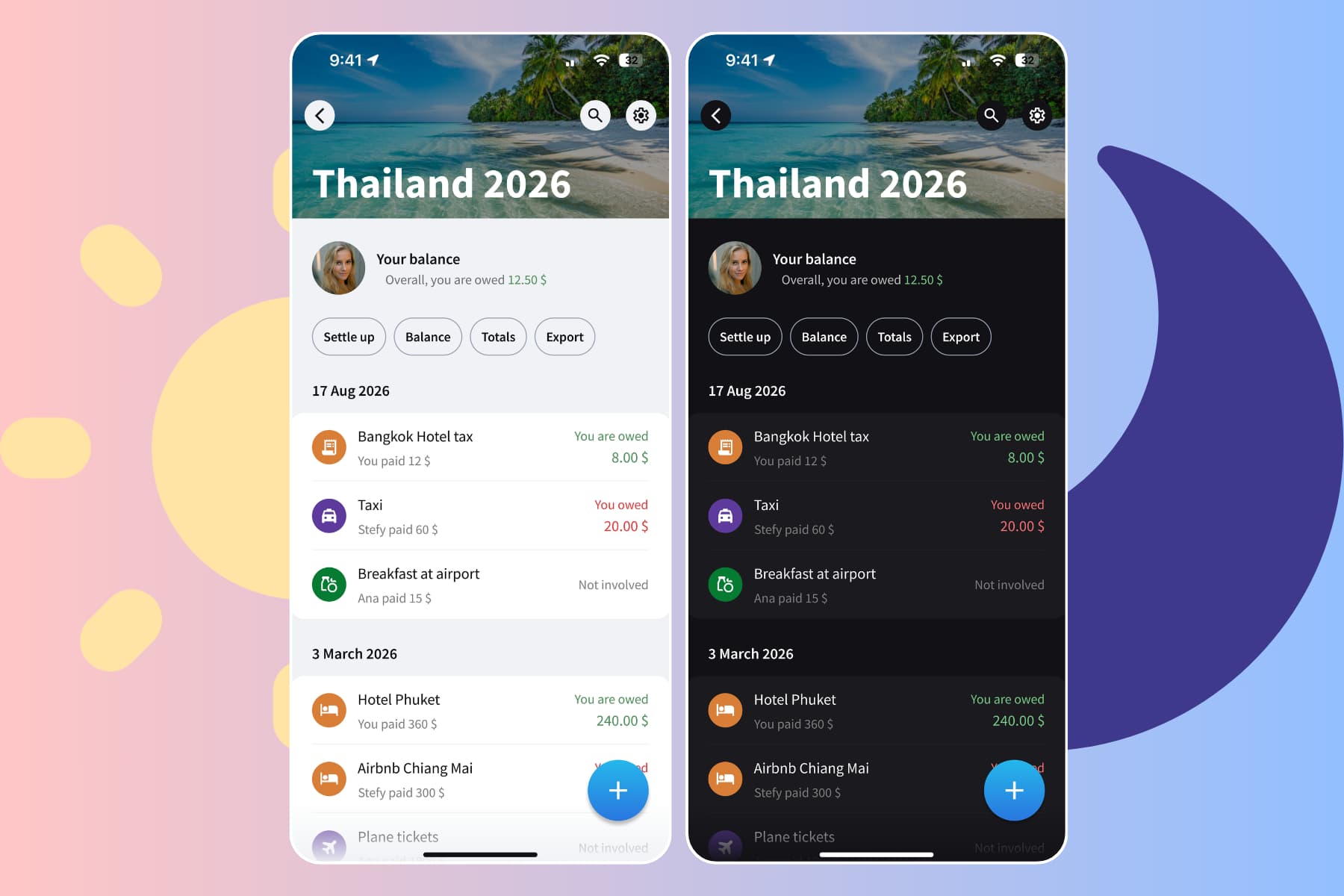
Splital keeps track of the expenses and automatically calculates the balances so that you always know how much you owe or are owed.
It also categorizes expenses automatically so you know where your money goes.
Planning the trip
A trip usually starts with booking flights and hotels. That's a good time to install Splital and create a group.
Create your group
Splital uses groups to keep your trip's expenses organized and visible only to group members.
Let's say you're planning a trip to Argentina. Start by creating a group called "Argentina".

Add your friends
After creating your group, you can add your friends to it. Just type their names. No email addresses or phone numbers are needed, so you stay in control of your privacy.
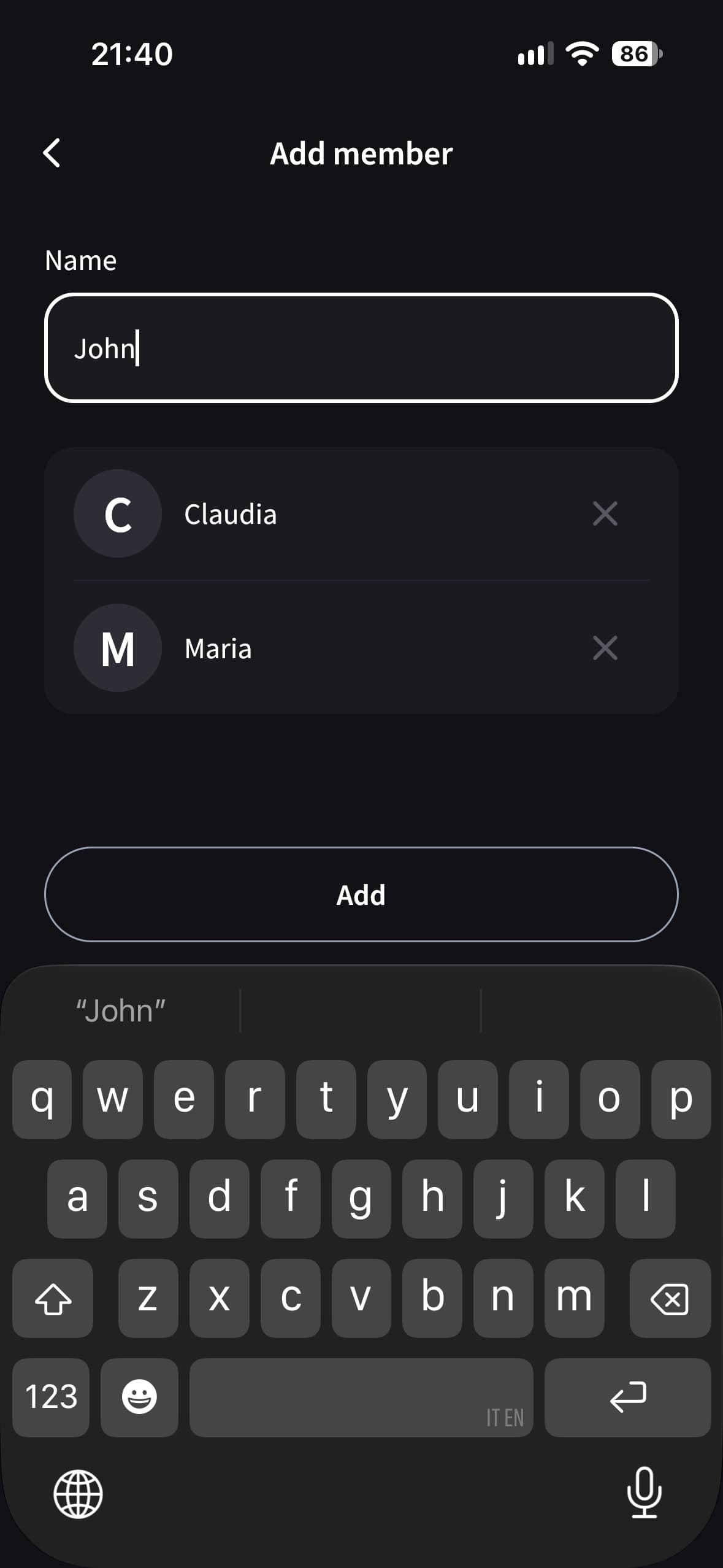
After adding your friends by name, you're ready to add expenses. For now, you're the only one who can manage the group.
If you want, you can also invite your friends to the group so they can see and add expenses from their own devices.
You don't need to invite all your friends, just the ones you want. If some people aren't comfortable with technology, you can add expenses for them instead of asking them to install Splital.
Add flights and hotels
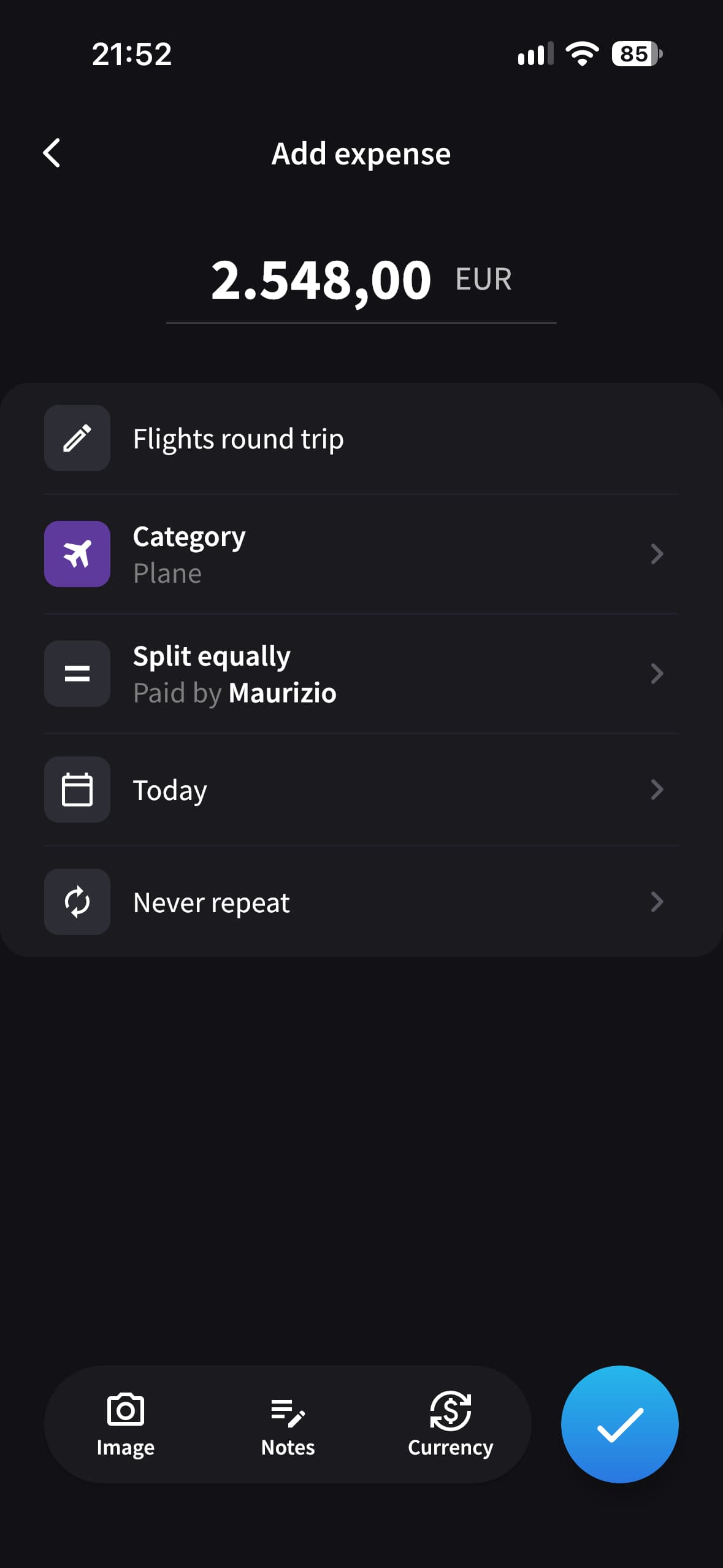
Add your flights, accommodation, and other bookings as you pay for them. Choose who paid and which people share each expense.
You can split expenses equally, by percentage, by exact amounts, or by shares, so each person pays their agreed share.
Check expenses
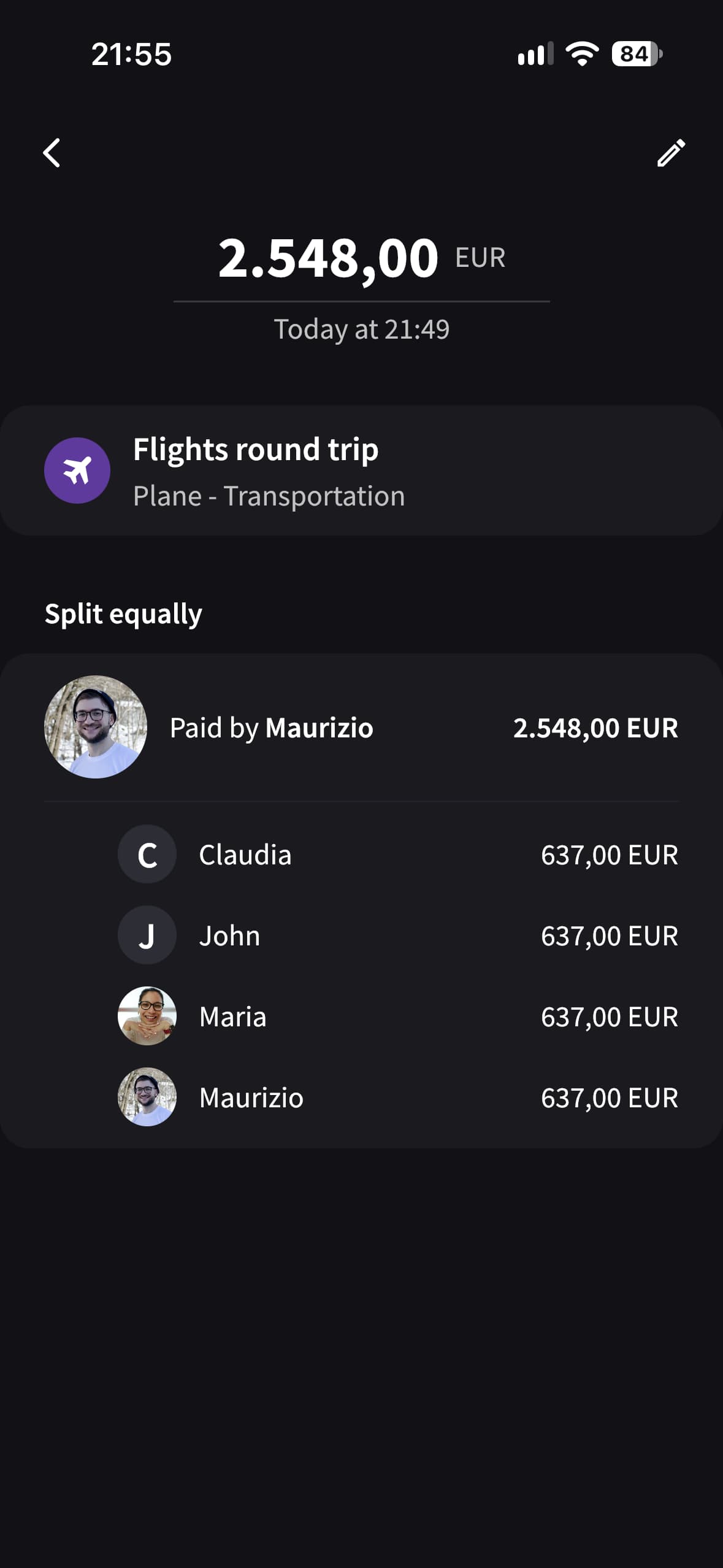
You can check any expense at any time to see who paid and how it's split. For instance, for the expense we've just added, we can see that Maurizio paid for the flights and the cost is split equally among four people.
During the trip
Add unlimited expenses
During the trip, you can keep adding expenses in exactly the same way as you did for flights and hotels.
Everyone can add unlimited expenses for free, and Splital works out the balances for you.
For trips abroad, you can also record expenses in different currencies for free.
Multiple payers
If more than one person pays a bill, you can record everyone's payment in a single expense. Enter how much each person paid, then choose who shares the cost and how to split it.
Splital calculates the balances for you. Multiple payers are included in the free plan.
Use it offline
Internet access isn't always available when you're traveling, especially in remote places. Splital lets you add expenses offline, and your balances update on your phone straight away.
As soon as you're back online, Splital uploads the expenses and your friends can see them too. Offline use is free.
Notifications
Splital notifies you when your friends add or update expenses involving you, so you can keep up with the trip's spending without constantly checking the app.
Check who owes what
The group balances show how much each person owes or is owed. You can use them to decide who pays next or when to pay each other back during the trip, so no one ends up owing too much. Record any repayments in Splital so the balances stay up to date.
Simplify debts
Simplify Debts reduces the number of transfers needed to settle up. It can change who pays whom, but the total each person owes or is owed stays the same.
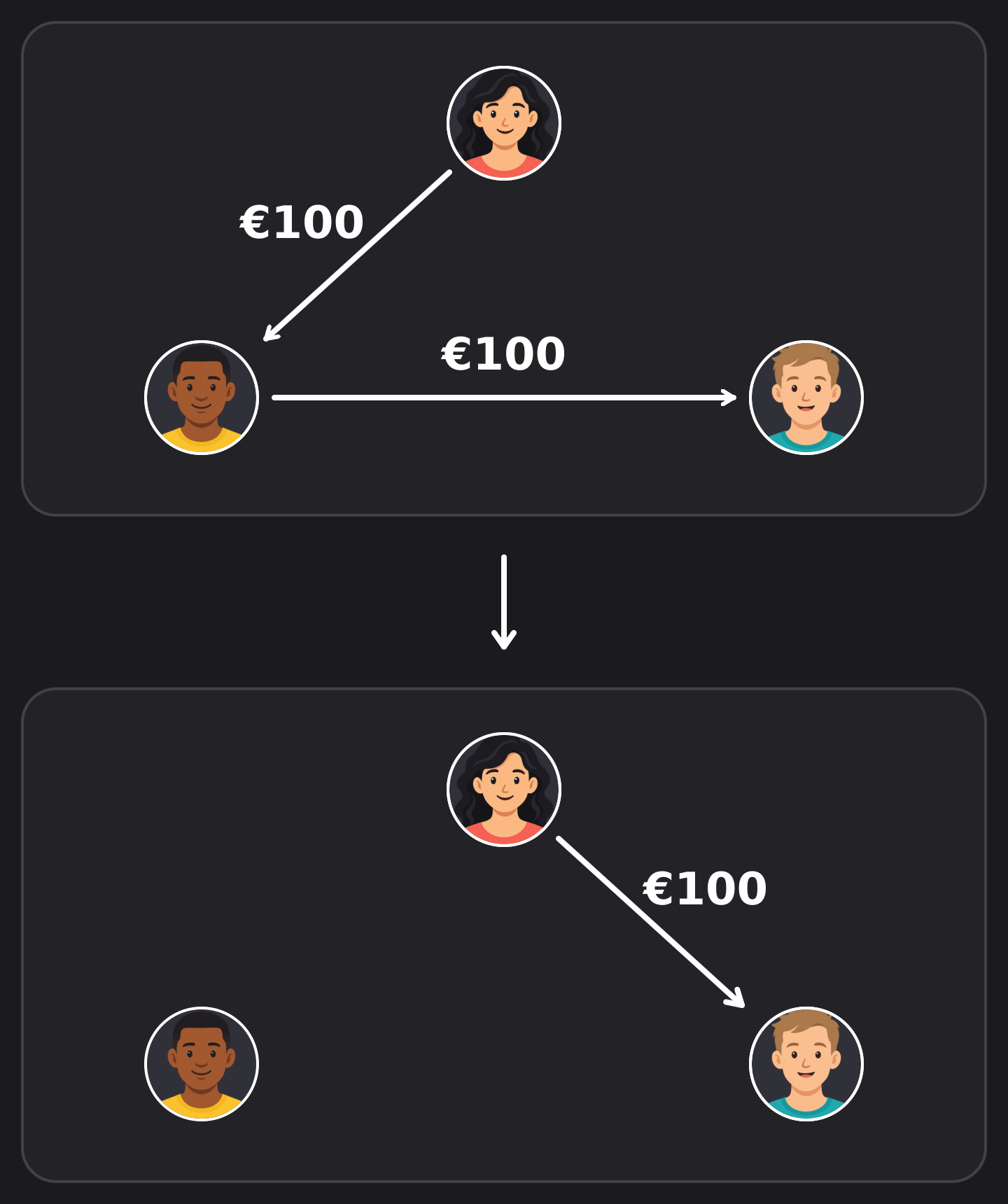
This is particularly useful on trips with a lot of people. However, you might prefer to repay the person who covered your expenses, especially on trips where not everyone knows each other. That's why you can turn simplification on or off in each group's settings.
After the trip
Before settling up, ask everyone to add any missing expenses. Then check the final balances together.
Settle up
Pay your friends using your usual payment method, then record the settlement in Splital to update the balances.
See what you spent
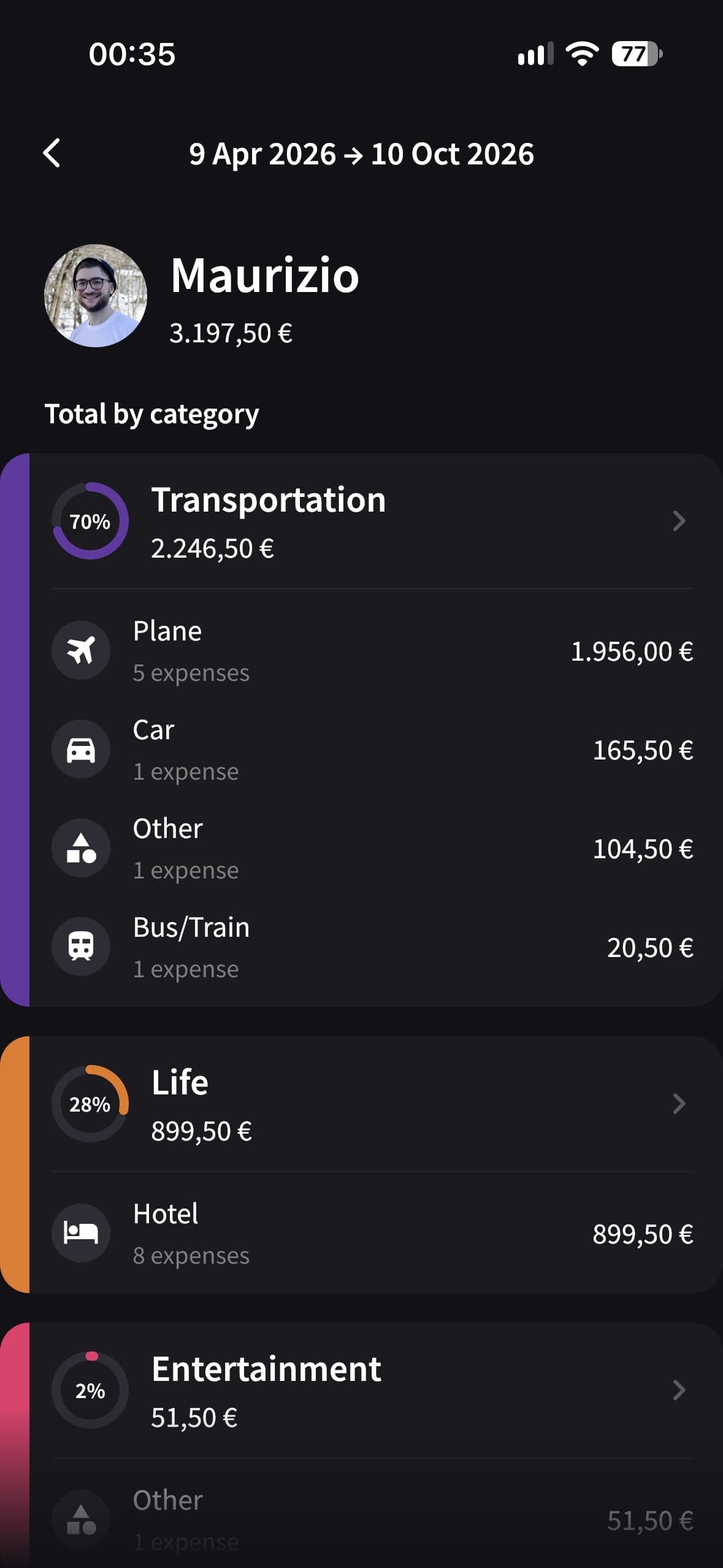
Open "Totals" in Splital Pro to see how much the trip cost, with breakdowns by category, subcategory, and person.
Tap your name to see your own share separately from the group total.
Export the group
With Pro, you can export the group as a PDF or CSV file. Share the PDF on WhatsApp, including with anyone who didn't install the app, or keep the CSV to review in a spreadsheet.
Balances across trips
You can create a separate group for each trip for free. Once your friends have joined those groups, the Friends section combines your balances with each person across trips, so you can record one settlement for the total.
What's free in Splital and what Pro adds
Splital is freemium, with no ads on either plan. The free plan covers everything you need to split expenses while traveling, including unlimited expenses, offline use, multiple payers, automatic categorization, and the option to turn off Simplify Debts.
Splital Pro adds advanced statistics and charts, PDF and CSV export, and image attachments. You can see exactly what's included on the pricing page.
Try Splital for your next trip
Splital covers every stage of your trip. If you travel a lot, it also combines balances across multiple trips.
Give Splital a try on your next trip. And if there's something you'd like us to improve, let us know through the app. We read every suggestion ourselves.
Download Splital for free
Available on Android and iPhone. No account needed.