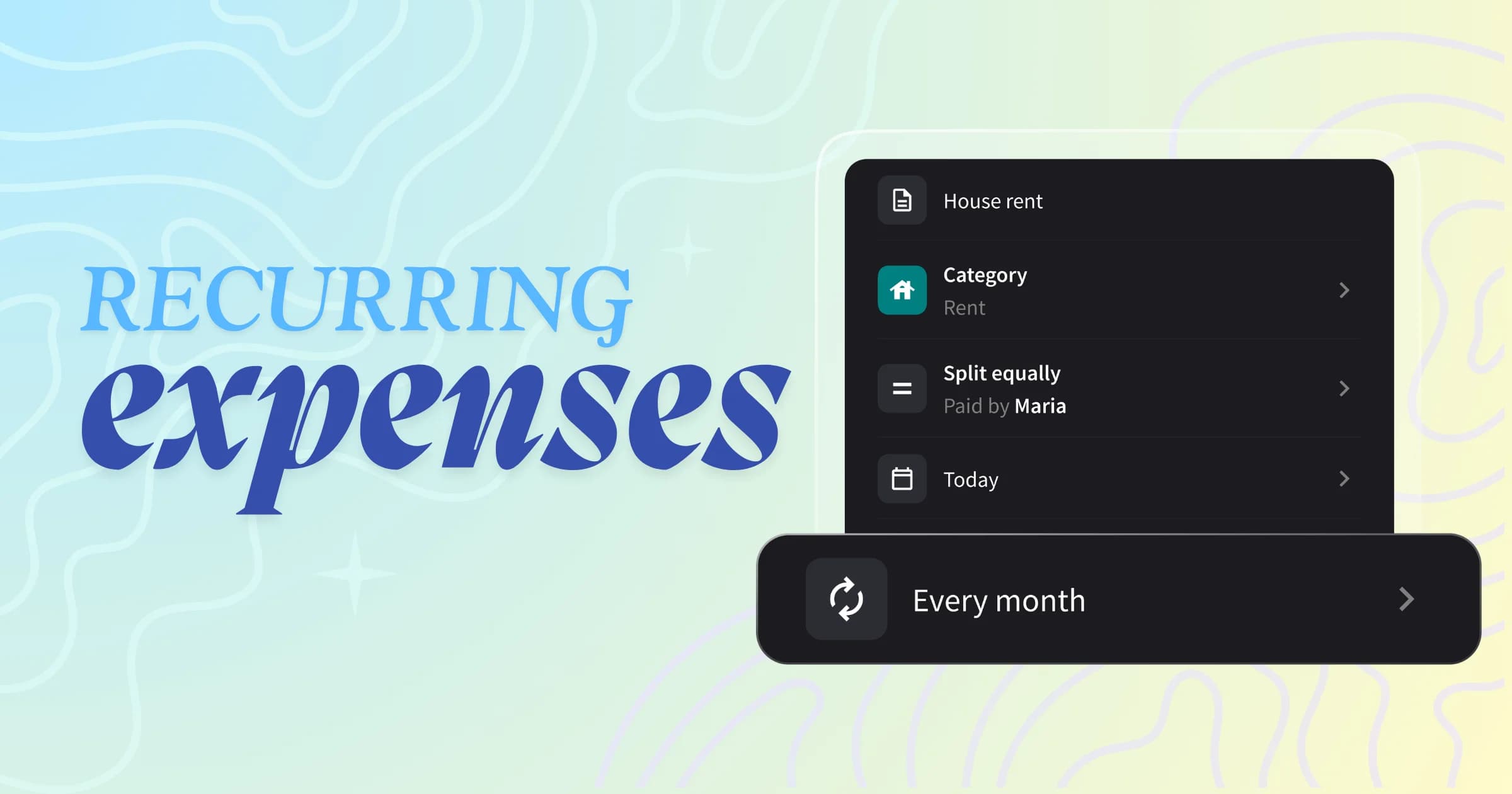
You can set any expense to repeat automatically. Rent, subscriptions, yearly insurance. Add it once, choose how often it repeats, and Splital adds it for you. Free for everyone.
Some expenses come back like clockwork. Rent, utilities, the gym membership, the cleaner every Friday. Until now, you had to remember each one and re-enter it by hand.
Forget once and everyone's balance is wrong until someone notices.
That's why we built recurring expenses.
Why recurring expenses matter
Some expenses you split rarely change: same amount, same split, same people, every single month. Adding them each time is boring and easy to forget.
A subscription you forgot to log means you're covering more than your share without realising it.
Recurring expenses handle everything for you.
You set the schedule once, and every future expense appears on its own, already split the way you agreed.
How recurring expenses work
Setting up a recurring expense is easy, and you can do it from the normal add expense screen.
Step 1: Add or open an expense
Tap the button to add a new expense, or open an existing one you want to repeat. Fill in the amount, description, category, and split as usual. Near the bottom, you'll see a new row that says "Never repeat".
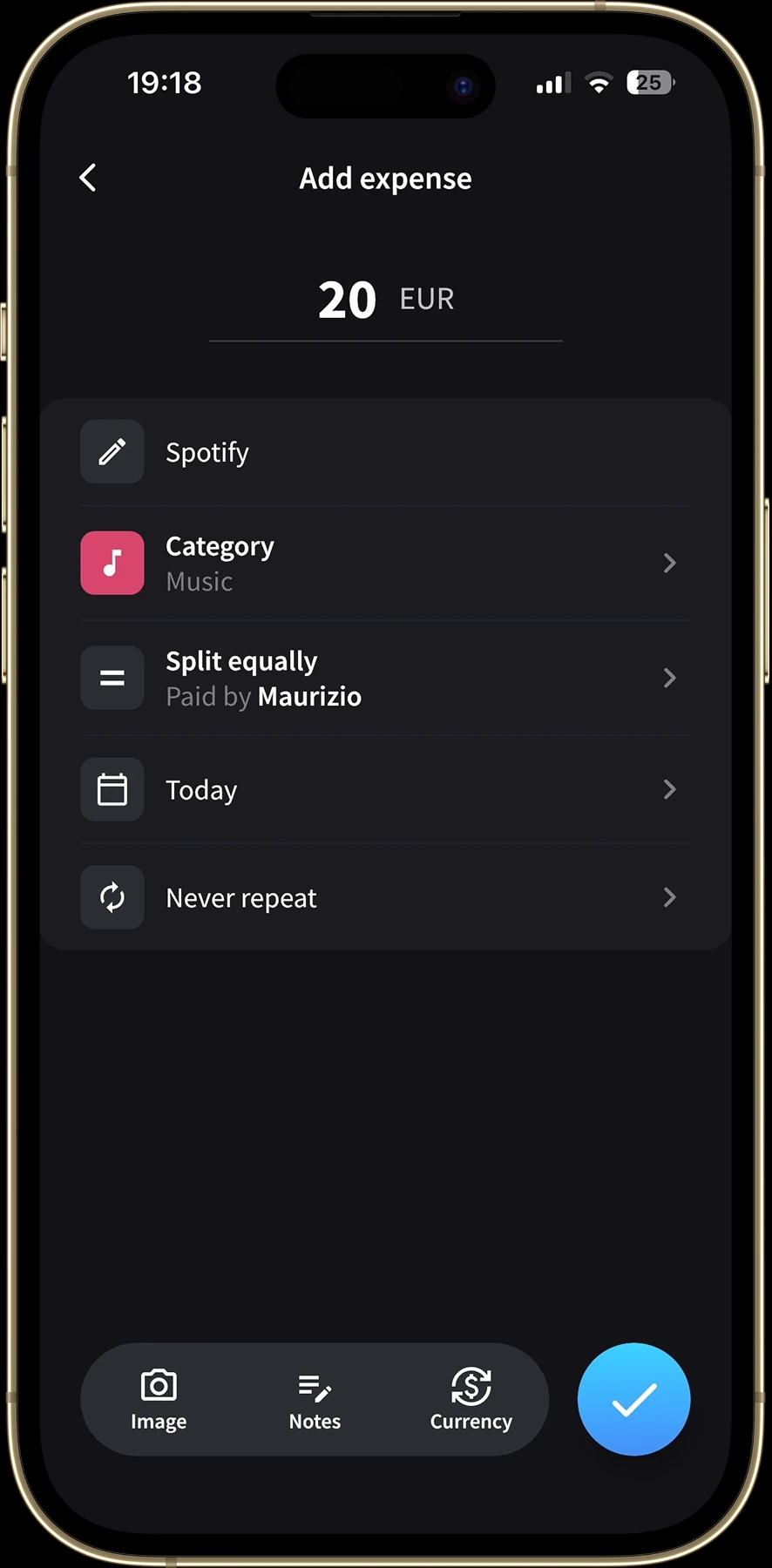
The new recurrence row on the add expense screen.
Step 2: Choose how often it repeats
Tap that row and a picker slides up with five options: Never repeat, Every day, Every week, Every month, and Every year. Pick the one that matches your needs.
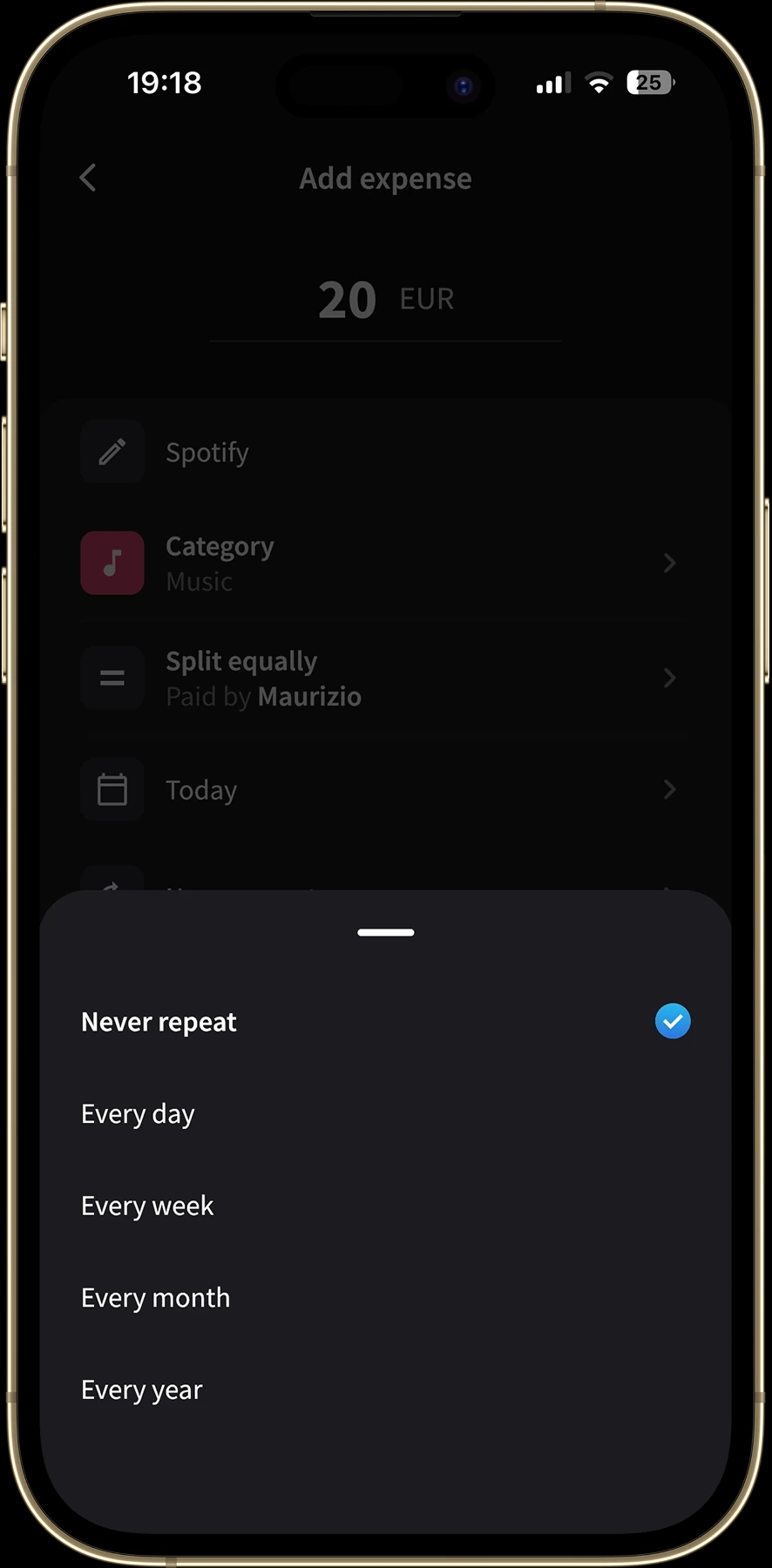
Choose how often the expense should repeat.
Step 3: Set the time it's added
Every recurring expense lands at a set time of day. To choose it, tap the date and time row, just above the recurrence row, and pick the time you want.
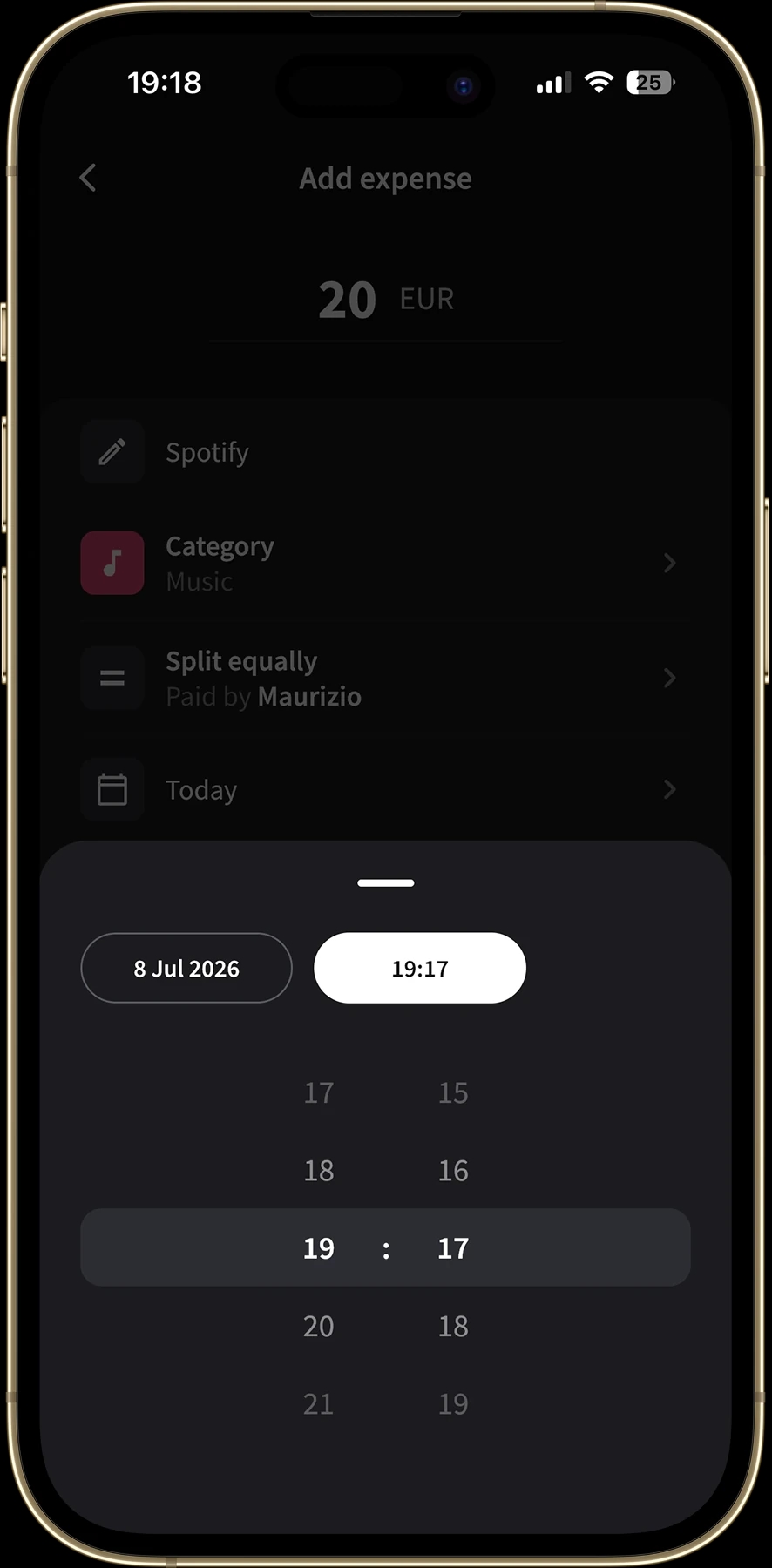
Tap the date and time row to choose when each copy is added.
Step 4: Save, and let Splital handle the rest
Tap save and you're done. From that point on, Splital adds each new expense automatically on schedule, at the time you chose, copying the amount, split, payer, and category from the most recent one.
You get a notification each time a new copy is added, so you always know it happened, without opening the app or having to remember.
Every occurrence is a normal expense
A recurring expense behaves like any other expense in your group, and you can modify it as you want.
Rent went up this month? Open that one expense and change the amount, and the rest of the series stays as it was.
Turning the schedule off is just as simple: open any expense in the series, tap the recurrence row, and choose "Never repeat". Splital stops adding future copies right away, and everything you've already logged stays exactly where it is.
Frequently asked questions
Are recurring expenses free in Splital?
Yes. Recurring expenses are part of Splital's free feature set, no subscription needed. You can set as many expenses as you like across all of your groups. See pricing for the full list of what's included.
How often can a recurring expense repeat?
You can choose Every day, Every week, Every month, or Every year. Picking "Never repeat" stops an existing recurring expense from being added again.
Will I get a notification when a recurring expense is added?
Yes. Each time Splital adds a new copy of a recurring expense, you get a notification, so you always know it happened without opening the app.
We're here to help
Recurring expenses came straight from your feedback. People kept telling us they were tired of re-adding the same rent and subscriptions every month, so we fixed it: set the schedule once and let Splital add them.
Update to the latest version of Splital and try it on your next bill or subscription. If there's a schedule we don't cover yet, or anything else you'd love to see, tell us at [email protected] or tap "Suggest Feature" in the app settings. We read every message, and features like this one ship because you asked for them.
If Splital saves you time, leaving a review on the App Store or Play Store helps other people find it and means the world to us.
To the next update!
Maria & Maurizio
Download Splital for free
Available on Android and iPhone. No account needed.