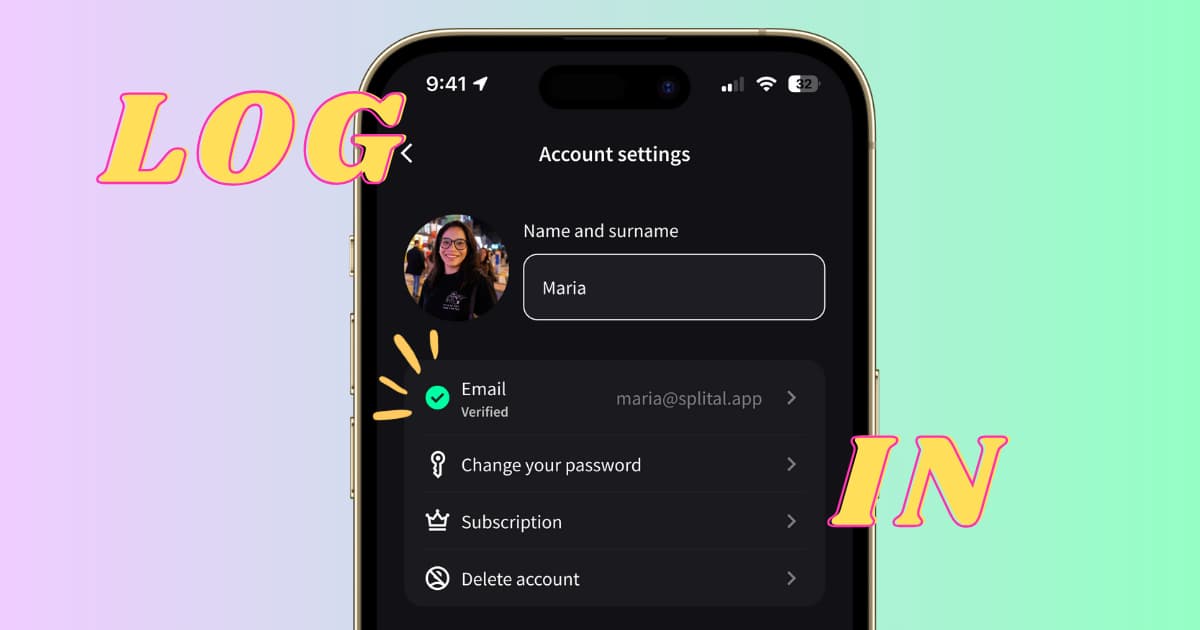
You can now create a Splital account with email and password, log in from any device, and keep all your groups and expenses in sync, on both Android and iPhone.
Splital still works without an account, that hasn't changed. Registering is optional, but if you switch phones often, share a device with a partner, or want a backup of your data, this is for you.
How to create your account
Setting up your account takes about a minute.
- Open Splital and tap the Profile icon in the app settings.
- Tap Create account and enter your email and a password.
- Open the verification email we send you and tap the confirmation link.
- Return to Splital, your account is now active.
Once your account is verified, all the data already in the app (groups, expenses, settings) is linked to it automatically. Nothing is lost in the transition.
How to log in on a second device
After you've created an account on your main phone, adding a second device is straightforward:
- Install Splital on the new device.
- Open the app and tap Log in instead of starting fresh.
- Enter the email and password you registered with.
- Your groups, expenses, and settings appear on the new device, fully synced.
This works across platforms too: an account created on Android logs in on iPhone, and vice versa.
Subscriptions follow your account
If you have a Splital subscription, it's now tied to your account, not to a single device. Subscribe once and the subscription is valid on every device where you log in, Android or iPhone. That matters when you replace a phone, hand a tablet to a partner, or run Splital on both your personal and work phones.
For details on what the subscription includes, see pricing.
How we handle your security and privacy
Building a login system that's both reliable and private took us weeks of hard work and countless tests. A few technical things we want to be specific about:
- Passwords are hashed with Argon2id, using both a per-user salt and a server-side pepper. We never store plaintext, even we can't see your password. Argon2id is the algorithm recommended by the OWASP Password Storage Cheat Sheet.
- Login and password resets are rate-limited, which makes brute-force and credential-stuffing attempts impractical.
- Email verification is required before an account can log in, which prevents someone else from claiming your address.
- Your data is tied to your account, accessible only when you're logged in with your verified credentials.
For the full picture, read our privacy policy.
Frequently asked questions
Do I have to create an account to use Splital?
No. Splital works fine without an account, you can keep using it exactly as before. Registering is only required if you want to sync across devices or recover your data when you switch phones.
What happens to the data already in my app when I register?
It stays. When you create an account from a device that already has groups and expenses, that data is linked to your new account automatically. You don't have to re-enter anything.
Can two people share one Splital account?
Technically yes, both phones would just log in with the same email and password. But Splital is designed so each person has their own account and joins shared groups by invite. That keeps personal spending separate from group expenses.
What if I forget my password?
On the login screen, tap Forgot password and enter your email. We'll send a reset link. Make sure you registered with an email address you can still access.
Is the PRO subscription per device or per account?
Per account. One subscription covers every device you log into, whether Android or iPhone.
Thanks for pushing us to build this
Multi-device login was the single most-requested feature in our inbox. It's also been one of the hardest things we've built, security work doesn't tolerate shortcuts. Thanks to everyone who kept asking and tested early builds with us.
If you run into anything strange while creating your account, contact us at [email protected]. We read every message.
Maria & Maurizio